You built more than you remember.
CommitLog makes sure your resume doesn't forget either.
The Problem
You're underselling yourself.
The Solution
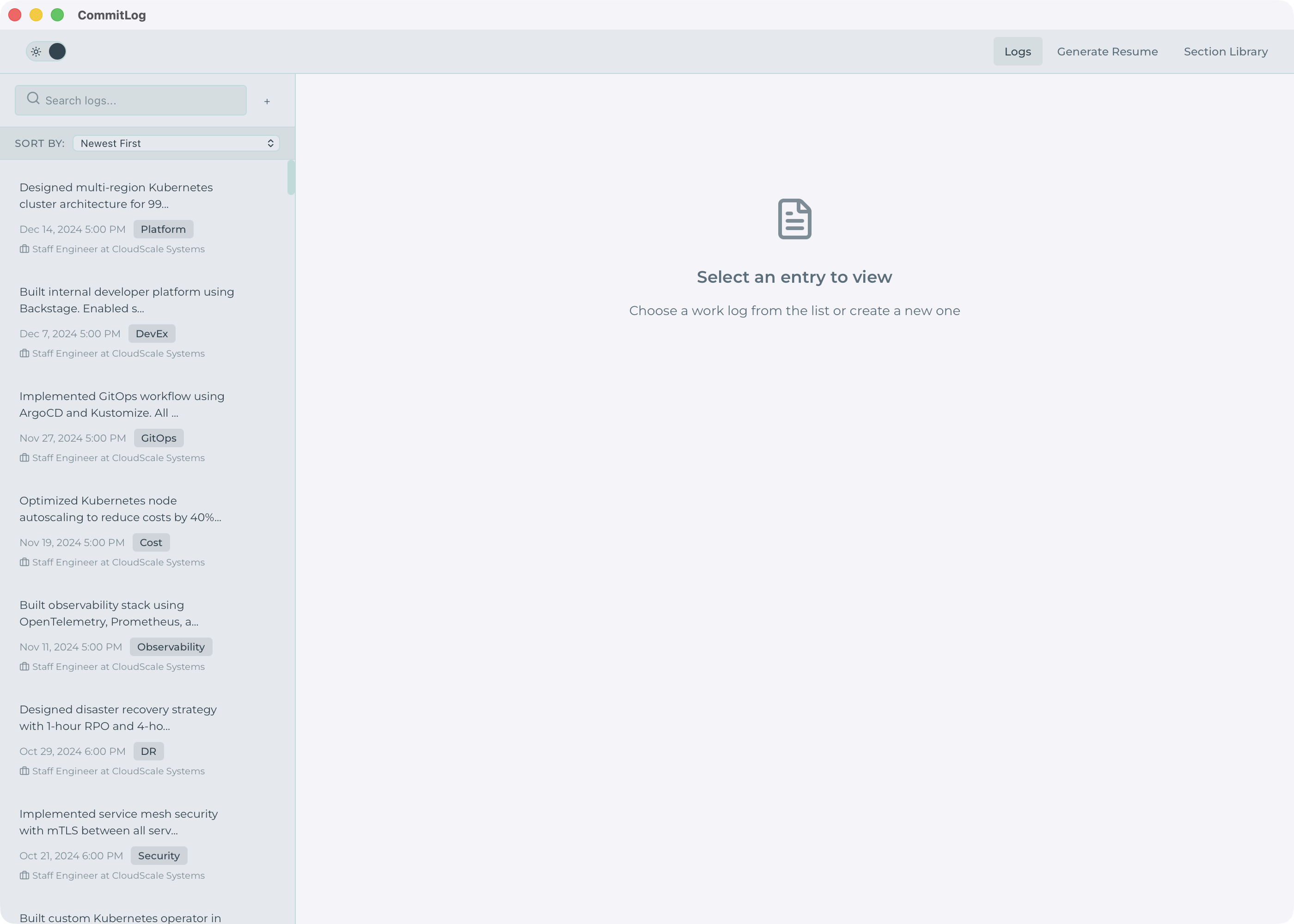
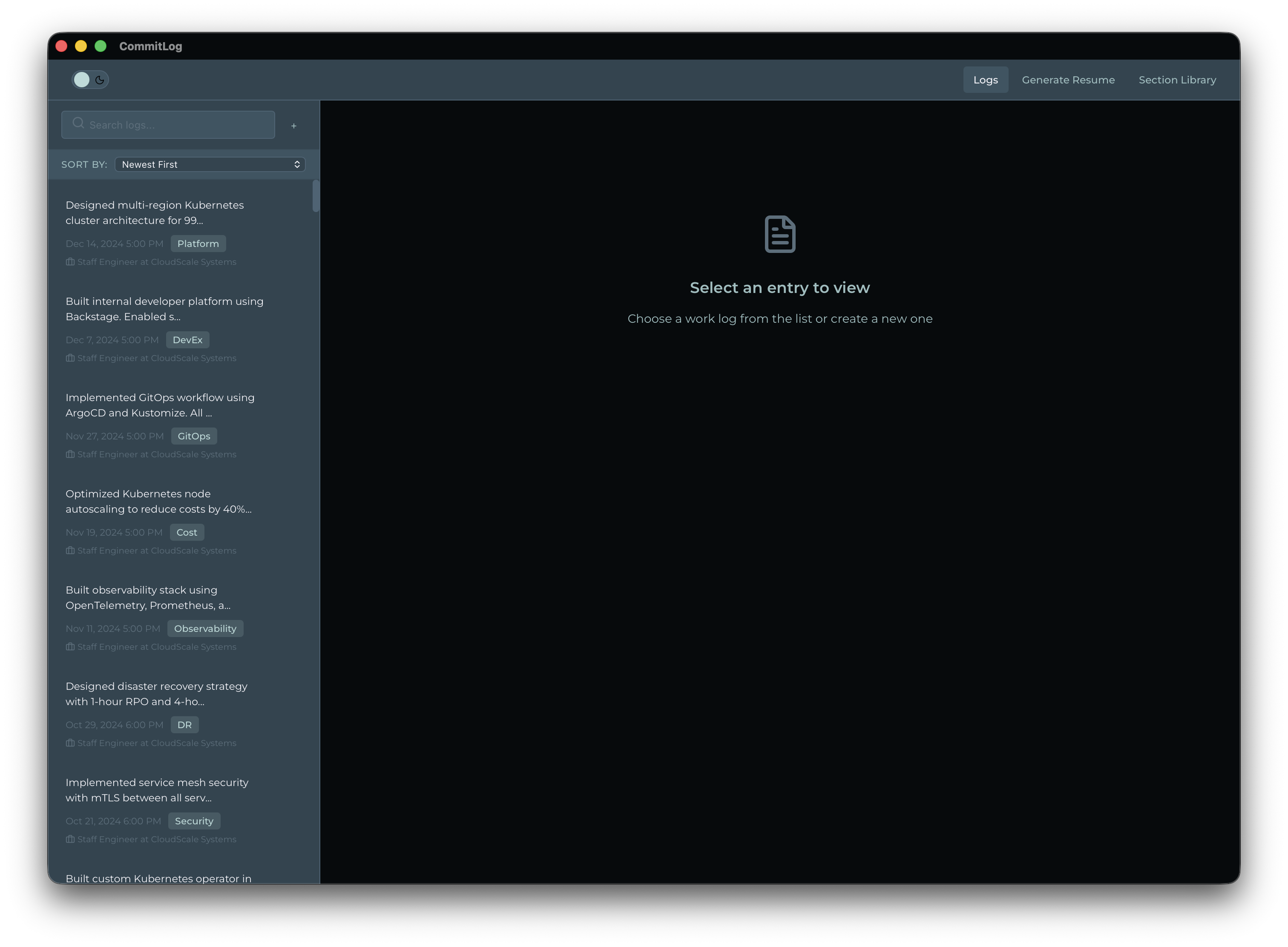
Your work, captured as it happens.
How It Works
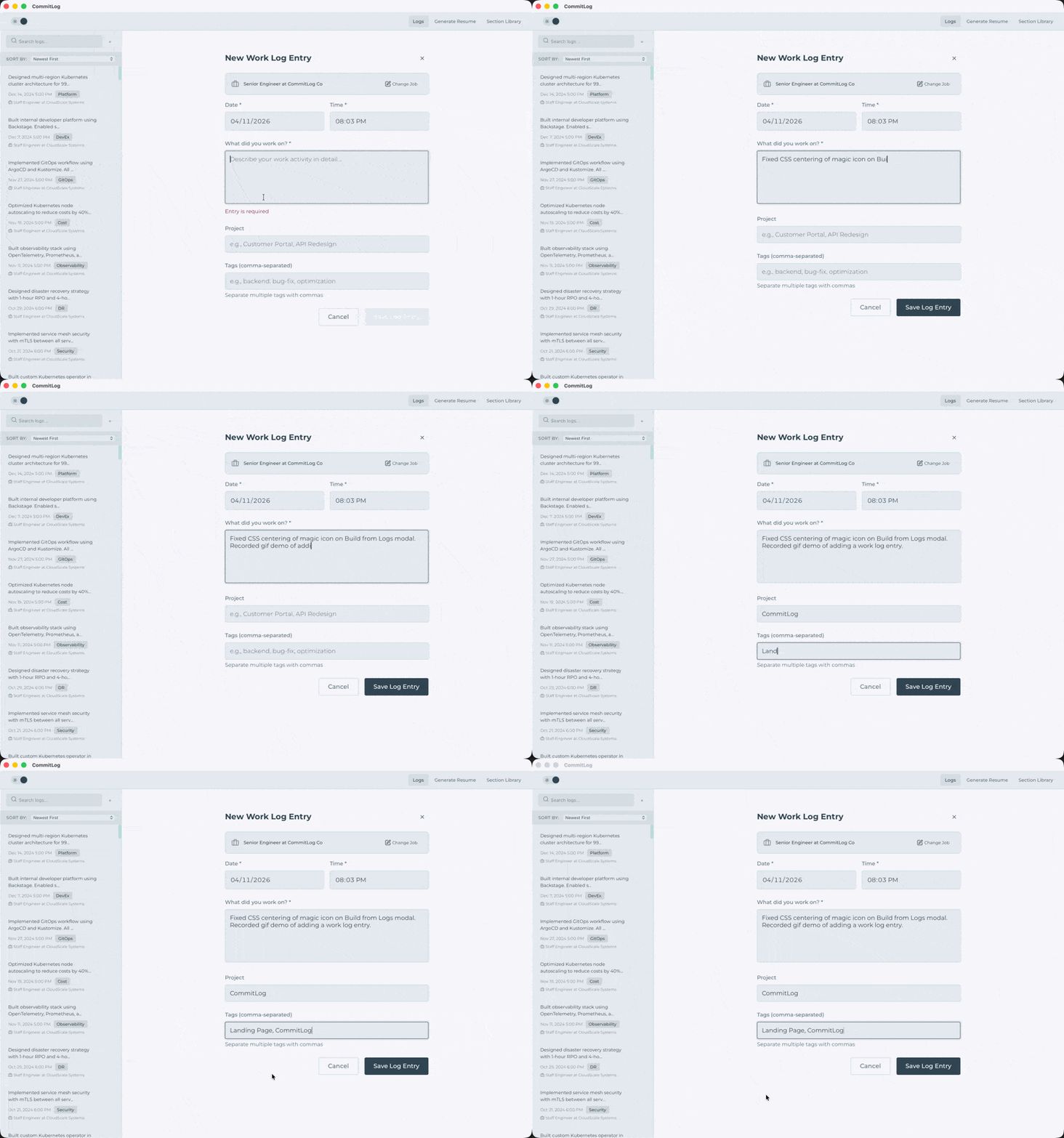
Step 1: Track your work
Log what you worked on, who it was for, and the impact it had. A sentence or two is plenty, but add as much detail as you want.
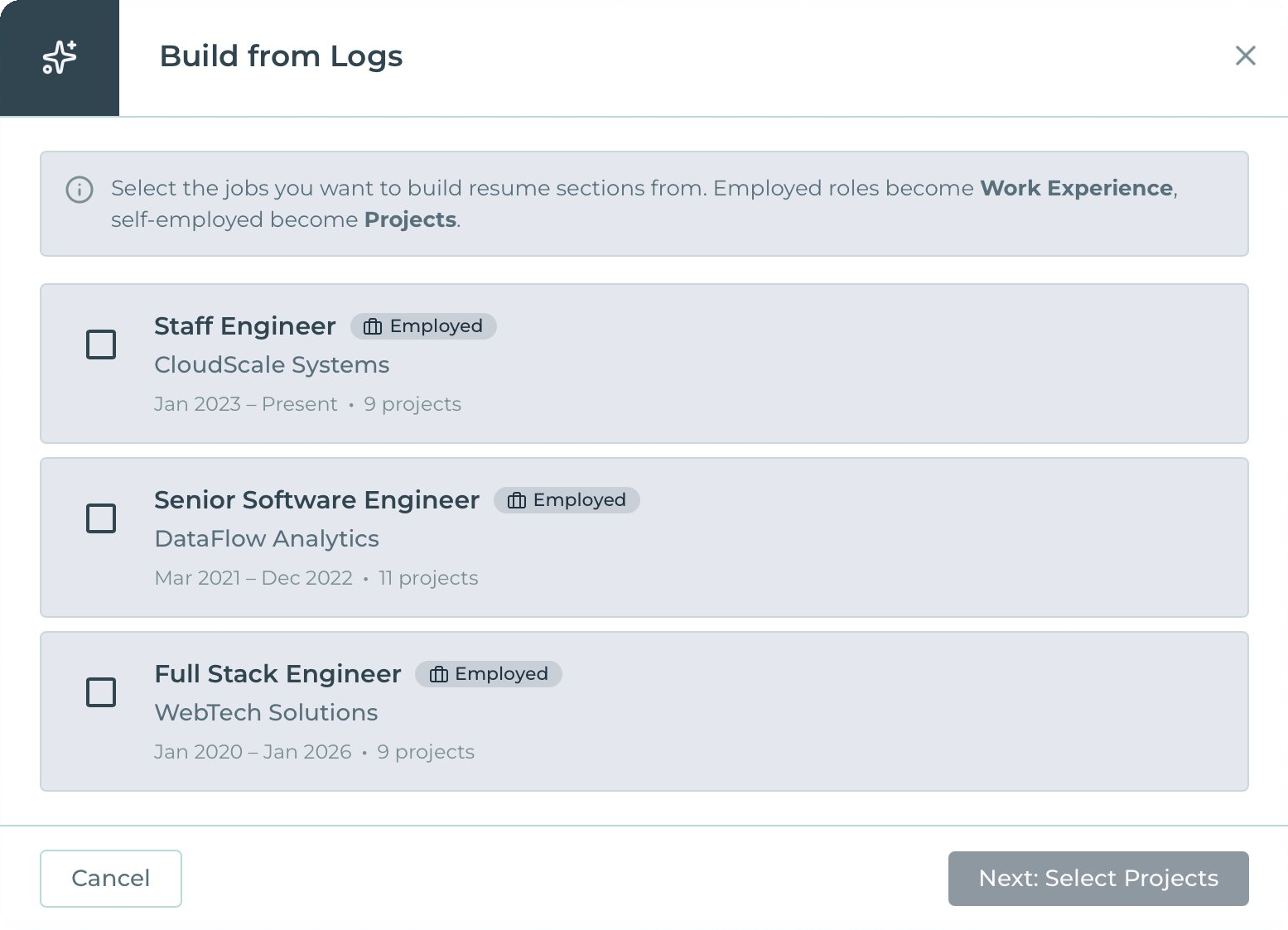
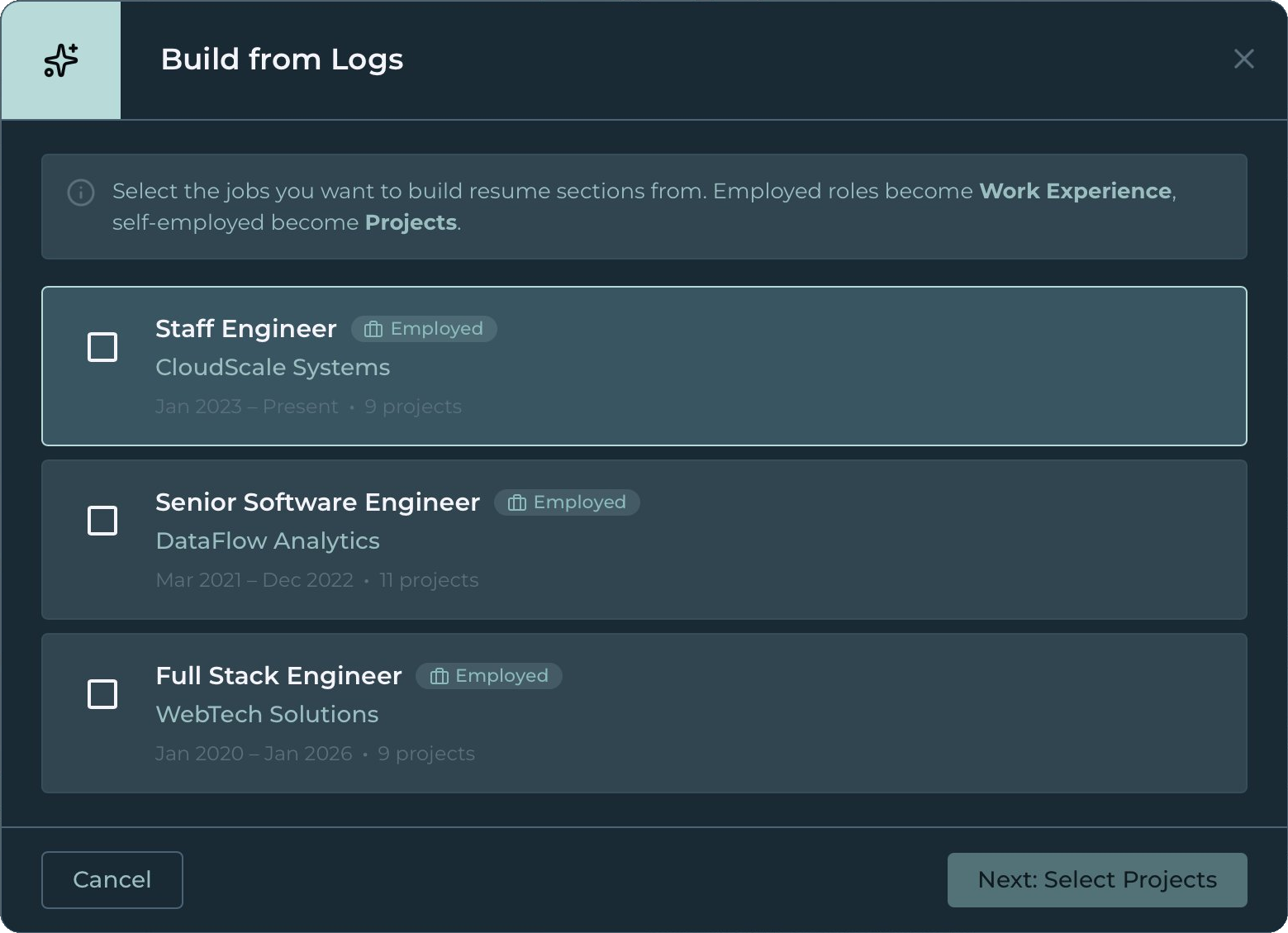
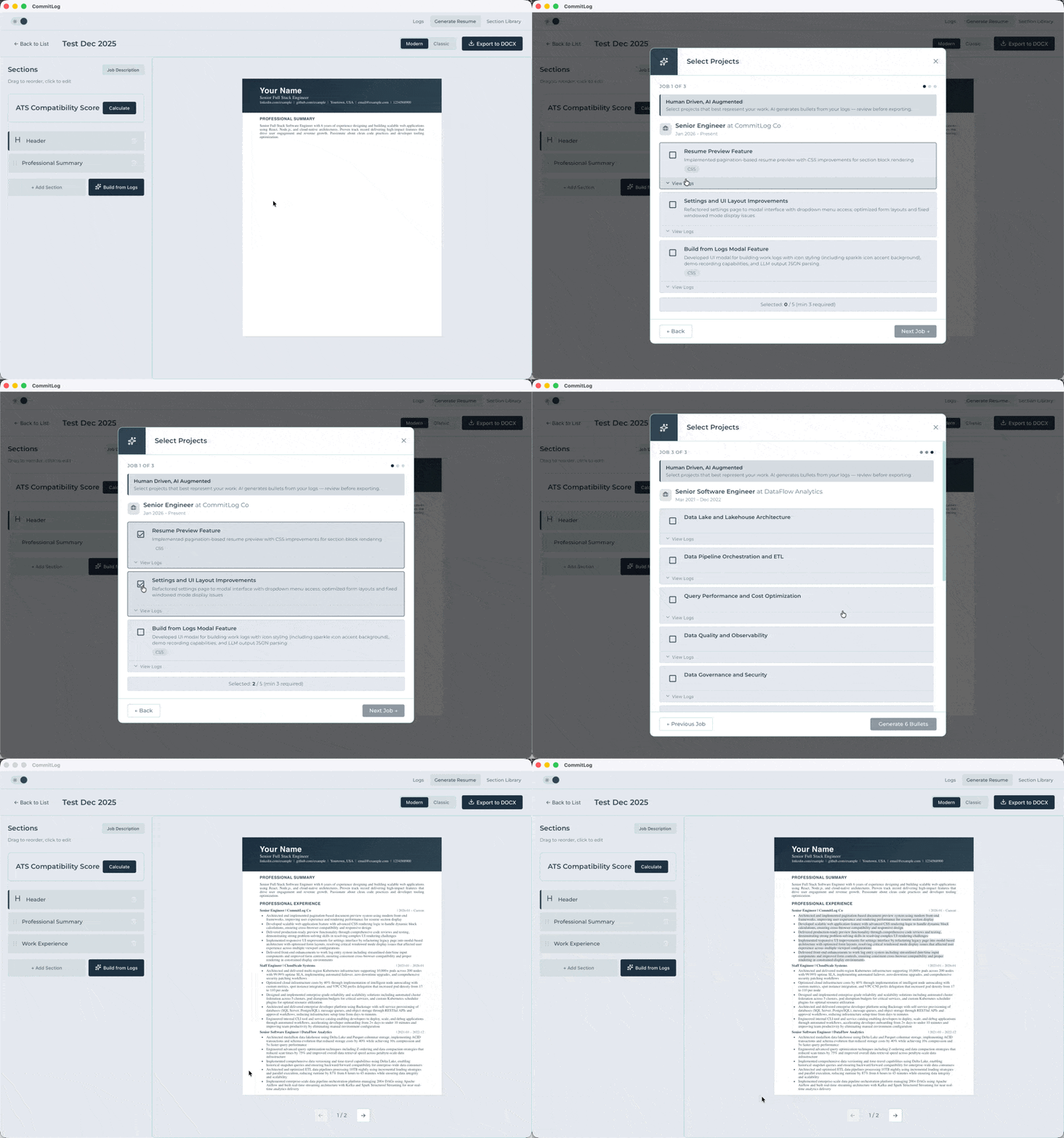
Step 2: Turn logs into bullet points
Your logs become projects. Pick which ones belong on your resume, and CommitLog generates bullet points for each. Keep them, tweak them, or regenerate until they match your voice.
Step 3: Make it yours - refine and export
Build your resume section by section. Over time, you'll have a library ready to mix and match for any role. Check your ATS score, pull keywords from job descriptions, and export when you're ready.
 Click to fullscreen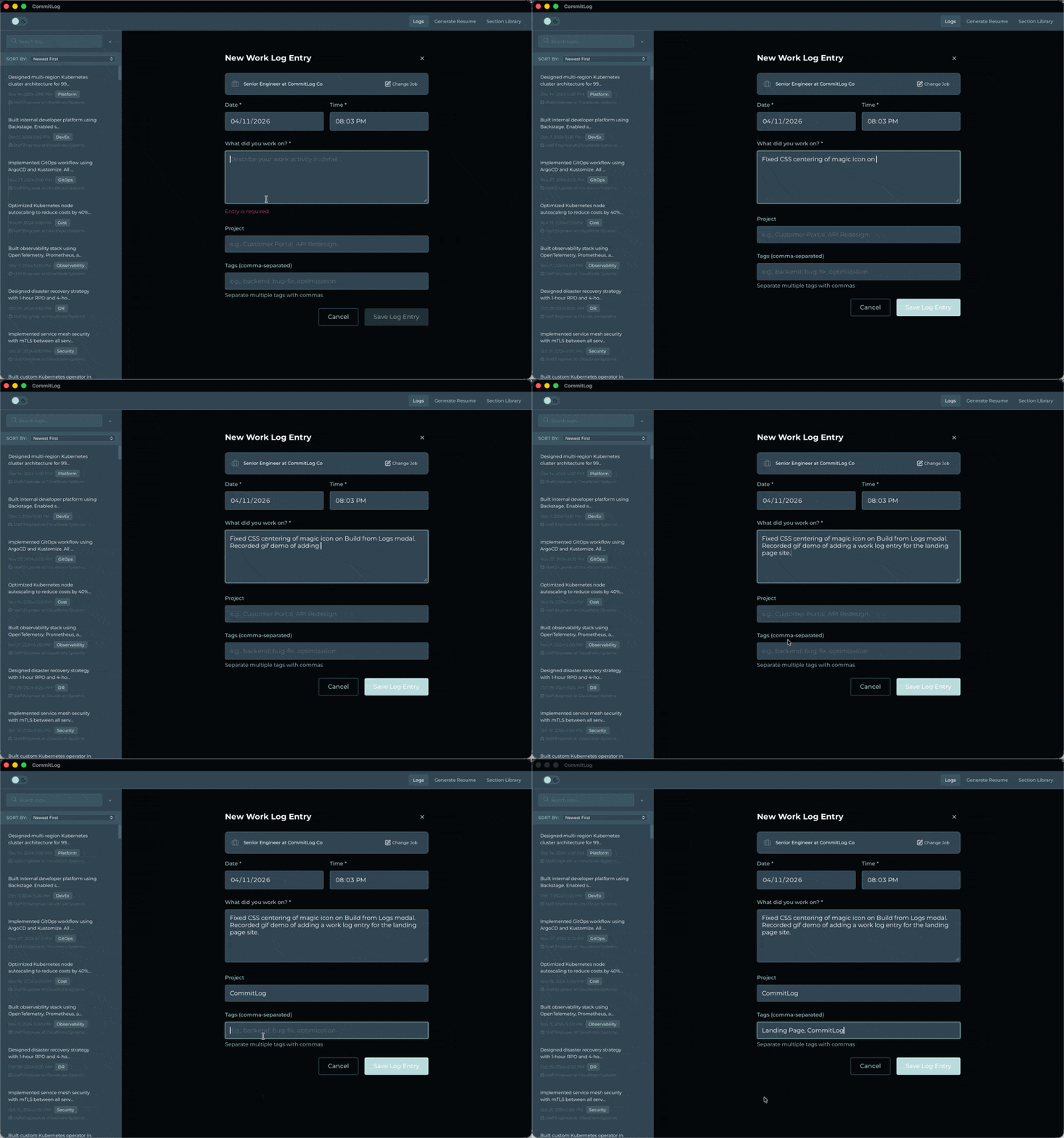
 Click to fullscreen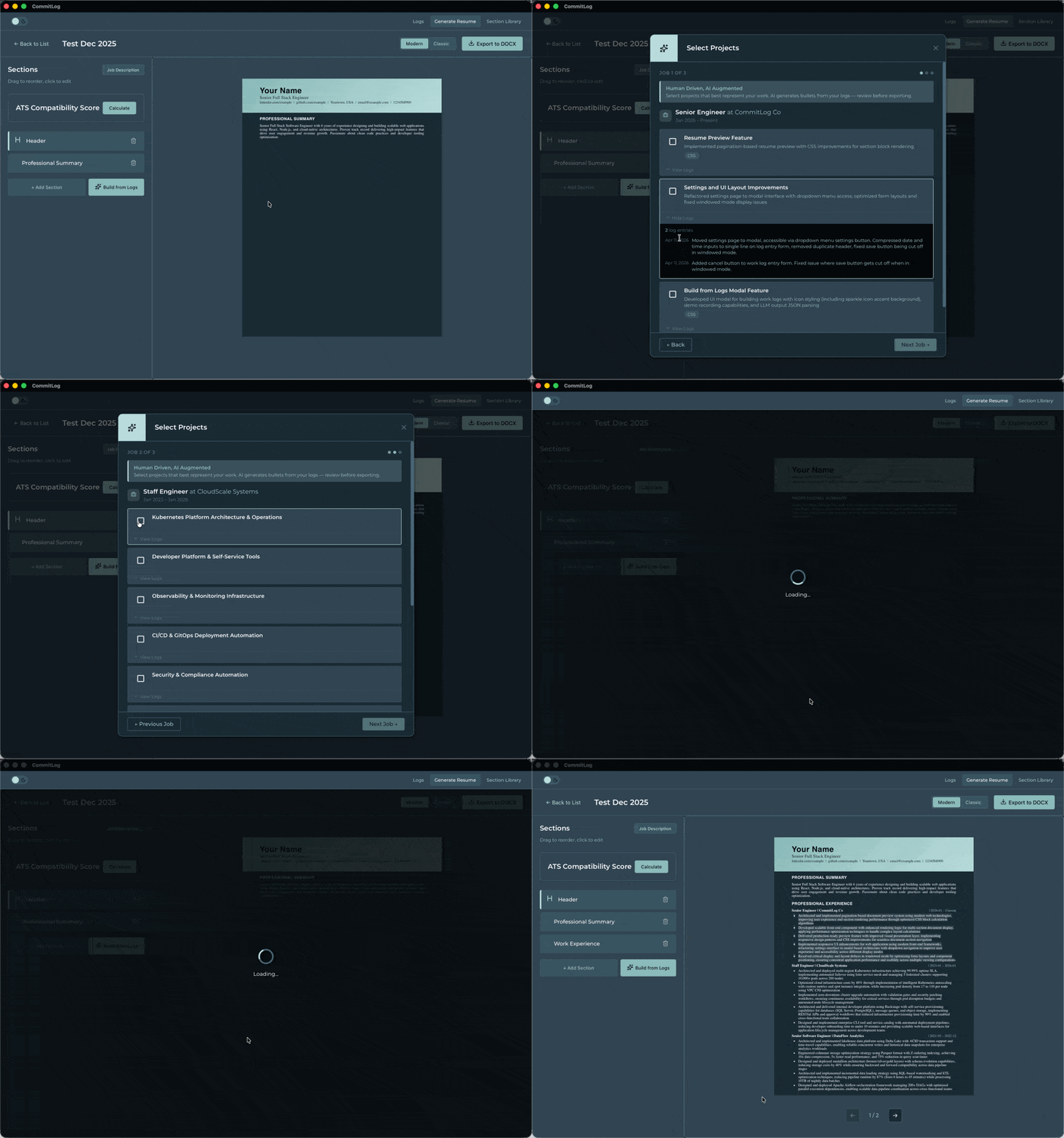
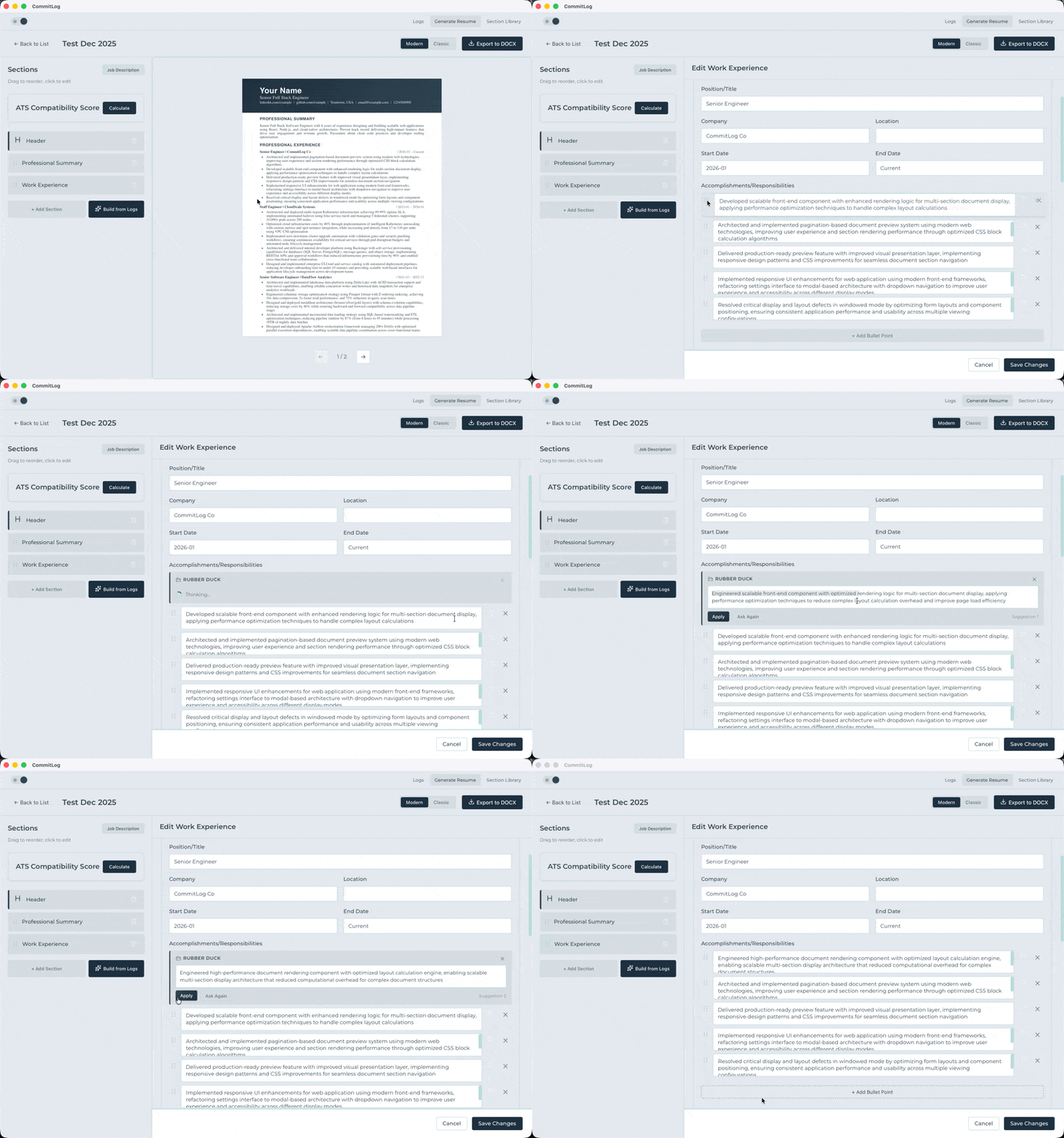 Click to fullscreen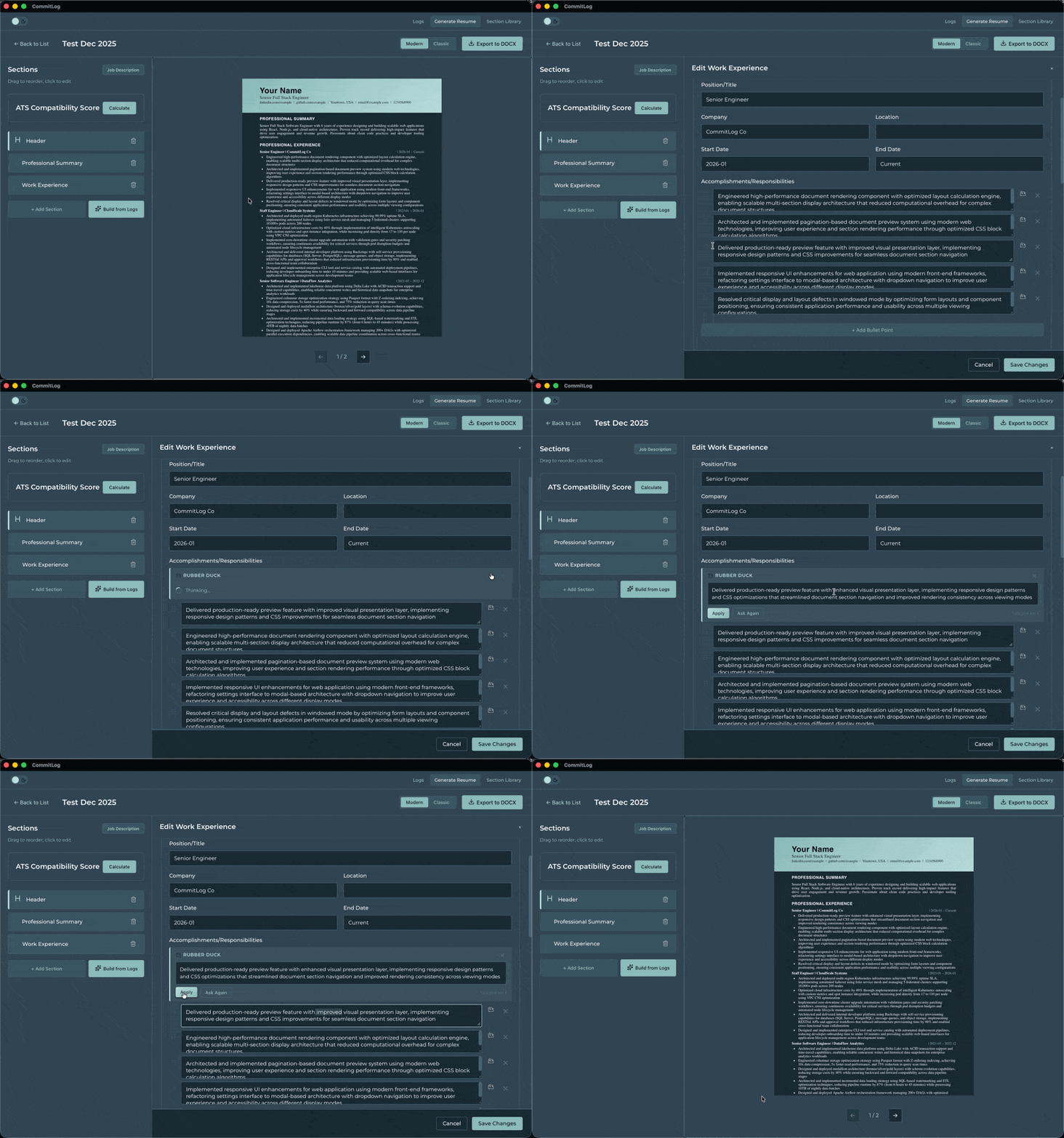
Why CommitLog
Sassy Features Without the Subscription
Pay Once, Own Forever
Buy it once, it's yours. No subscriptions, no surprise charges. New major features ship as optional expansion packs, only pay for what you need.
Build Once, Reuse Anywhere
Build a section once, reuse it anywhere. Over time you'll have a personal library of resume sections ready to assemble into tailored resumes for any role.
Privacy on Your Terms
Run a local LLM for sensitive work that never leaves your machine, or connect to Claude (Sonnet 4.5 / Opus 4.5) for higher-quality generation. Either way, you're in control.
Tailor to Every Job Description
Paste a job description. CommitLog pulls out the keywords, estimates your ATS score, and helps you draft a summary. Stop sending the same generic resume to every role.
FAQs
Frequently Asked Questions
What platforms are supported?
macOS (Apple Silicon) for now.
Does it work offline?
Yes. If you're using a local AI model, CommitLog works completely offline. No internet required. If you choose to connect a Claude API key, internet is only needed for AI generation.
Which AI models are supported?
Seven local models from 7B to 35B parameters, including Qwen2.5, Gemma 2, Phi-4, Mistral Small, and Qwen3.6 MoE — ranging from 4.68 GB (8 GB RAM) up to 22.1 GB (24 GB RAM). CommitLog recommends the best model for your hardware automatically. For the best output quality, connect your own Claude API key and use Sonnet 4.5 or Opus 4.5.
Can I edit the generated content?
Absolutely. Everything CommitLog generates is a starting point. Edit bullet points, rewrite summaries, regenerate until it matches your voice. You're always in control of the final result.
What data does CommitLog collect?
None. Zero telemetry, zero analytics. Your work logs and resumes stay on your machine. If you use a local AI model, nothing ever touches the internet. If you connect a Claude API key, only the data needed for generation is sent, through your own key, on your own terms.
How is this different from other AI resume tools?
Other tools start when you're already staring at a blank resume. CommitLog starts while you're still doing the work. That's the difference. You're not trying to reconstruct your career from memory. And your data stays yours, whether you're running a local model or connecting your own Claude API key.